

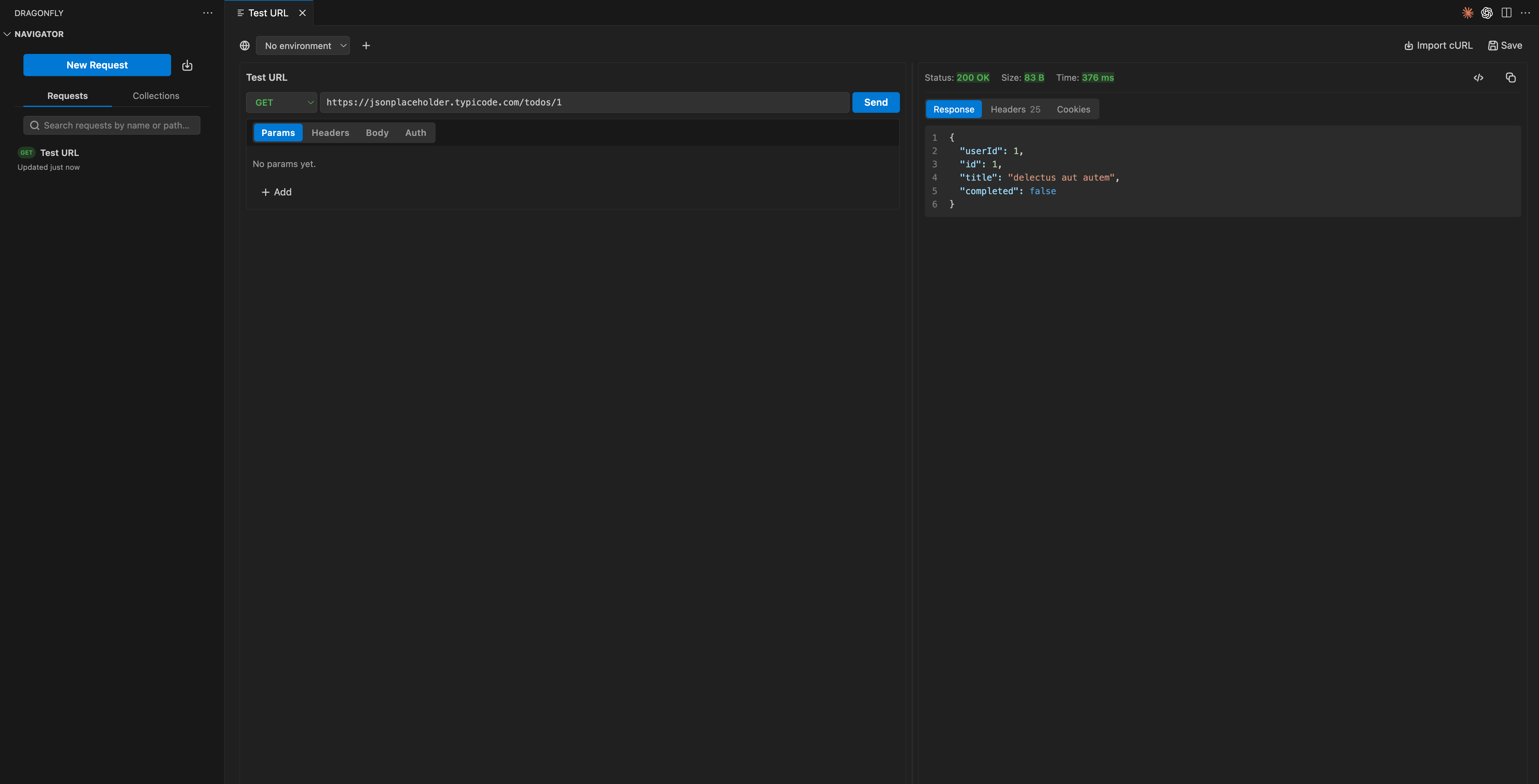
A request and its JSON response, side by side with your code.
Build a request
A request is made of these parts:
Method and URL
Choose GET, POST, PUT, PATCH or DELETE, and set the URL. Use
{{variables}} from your environment anywhere in the URL.
Params
Add query parameters as key and value pairs. They are kept in sync with the URL.

Headers
Set request headers such as
Content-Type or Accept.
Body
Send a JSON or raw body for methods that take one.

Auth
Add Bearer, API key or Basic auth. See Authentication.

Send
Run the request and read the response inline.
Read the response
When a request returns, Dragonfly shows the response next to your code with:- Status of the response
- Size of the payload
- Timing for how long the request took